


Limited availability
Google SPA is currently only enabled for a specific group of merchants. If you want to be included in this group, reach out to your Adyen contact.
Google Secure Payment Authentication (Google SPA) lets shoppers authenticate online card payments with device biometrics. It supports Strong Customer Authentication (SCA) requirements, including the revised Payment Services Directive (PSD2).
The shopper completes the authentication directly on your website, using the Google web front end. This avoids a redirect to the shopper's card issuer for 3D Secure authentication. By reducing this friction, Google SPA can help improve payment conversion. When the authentication is successful, Google SPA also provides a liability shift.
Requirements
| Requirement | Description |
|---|---|
| Integration type | An Adyen online payments integration that uses Adyen to authenticate and authorize payments. |
| Limitations |
|
| Setup steps |
|
How Google SPA works
- You make a payment request using your 3D Secure 2 redirect integration.
- Sessions flow : 3D Secure 2 support is built-in. You must set the nativeThreeDS to disabled in your POST /sessions request.
- Advanced flow : Implement redirect 3D Secure 2 and make sure you send in the applicable 3D Secure 2 parameters for your integration type in your POST /payments request.
- The Authentication Engine determines whether the transaction requires a challenge and chooses the most optimal authentication method based on eligibility.
- If Google SPA is the most optimal authentication method, the shopper verifies their identity using device biometrics in the Google web front end. If the authentication fails, Adyen falls back to 3D Secure 2 authentication.
- If the transaction is not eligible for Google SPA, or if it is not the most optimal authentication method, Adyen selects a different method such as 3D Secure 2.
- After the shopper completes authentication successfully, Adyen continues the payment flow.
Eligibility
When the shopper makes a payment request, Adyen checks if Google SPA is an eligible authentication method for the transaction. The eligibility depends on the following criteria:
| Criterion | Description |
|---|---|
| Supported devices and browsers | Supported operating system: Android Supported browsers:
|
| Supported payment methods | Google SPA is supported for Mastercard and Visa Funding Primary Account Number (FPAN) transactions. The shopper's card must be tokenized in Google Wallet. |
| Supported payment flows | Google SPA is supported for all payments with shopperInteraction set to Ecommerce. For recurring payments, Google SPA is supported for all Customer Initiated Transactions (CIT). Google SPA is not supported for recurring Merchant Initiated Transactions (MIT), such as subscriptions. |
| Regional availability | Google SPA is currently available in the UK and Poland. |
Shopper experience
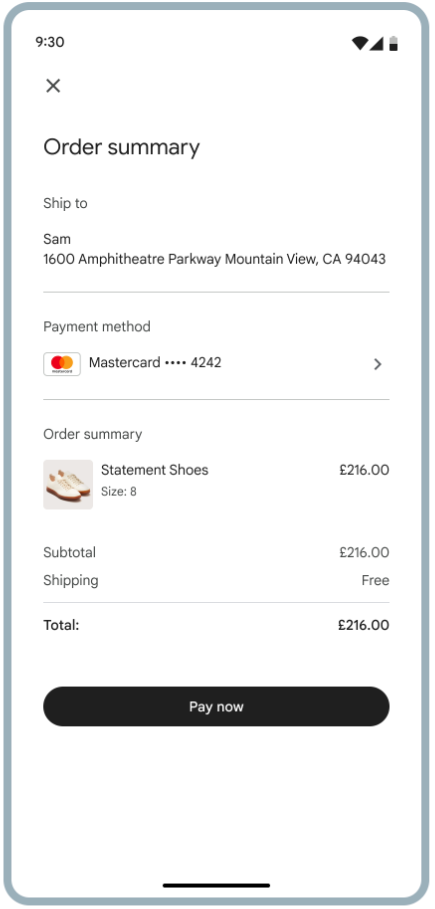
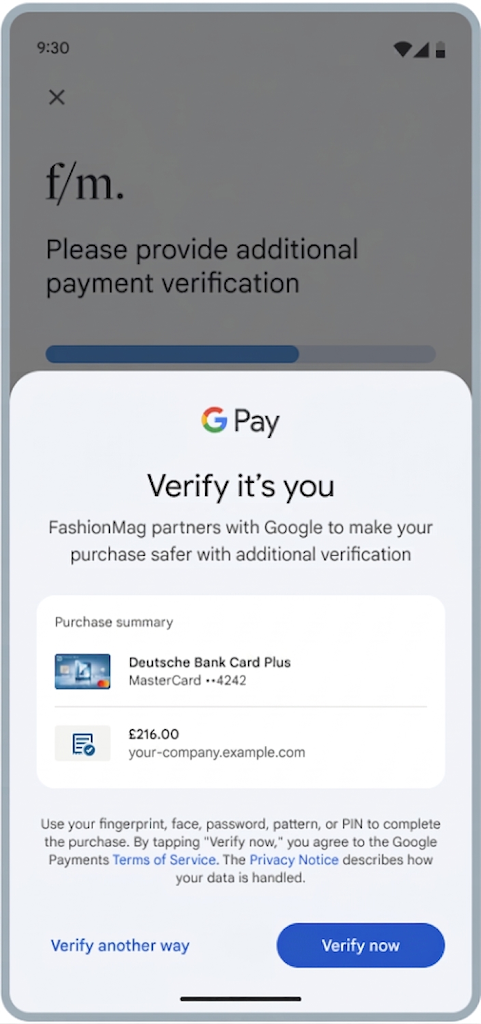
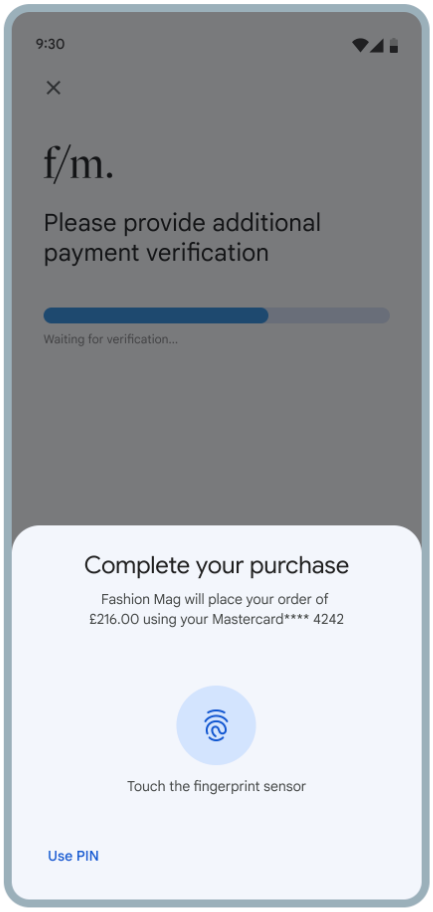
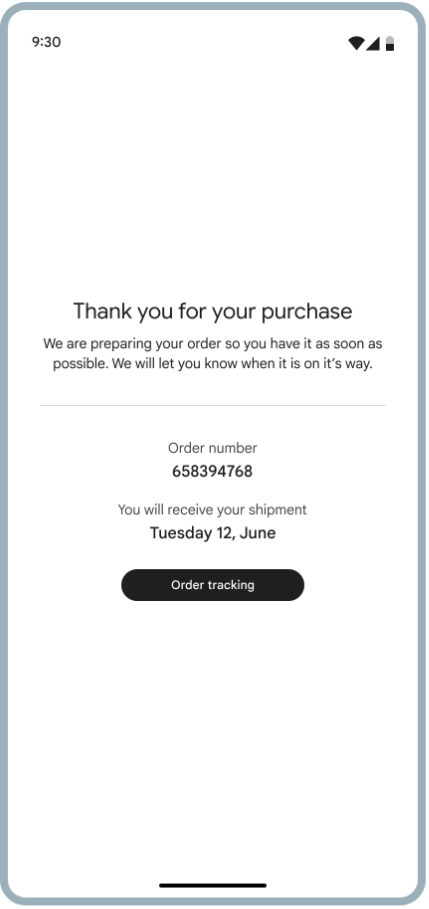
When authenticating a payment using Google SPA, the shopper follows the following flow:
- The shopper clicks the Pay button on your website.
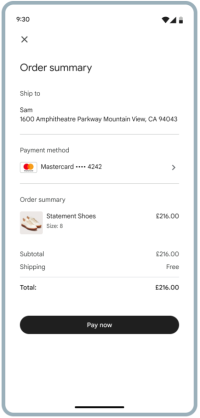
- Adyen redirects the shopper to the Google web front end.
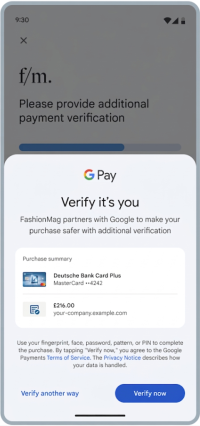
- The shopper verifies their identity using device biometrics.
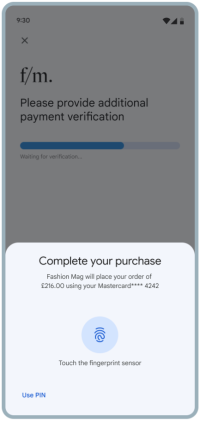
- Adyen redirects the shopper back to your website.
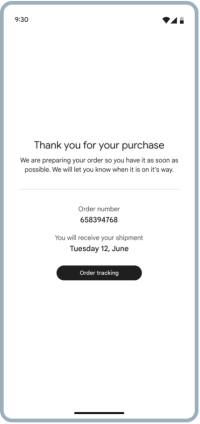
- Adyen continues the payment flow.
Liability shift
A successful Google SPA authentication can shift liability from your company to the issuer. These transactions benefit from the same fraud protection rules as Device Primary Account Number (DPAN) transactions in Google Pay.
Every transaction authenticated with 3D Secure 2 receives an Electronic Commerce Indicator (ECI) value that indicates the state of the authentication and determines whether liability can be shifted to the issuer.
The final liability shift outcome is determined after authorization. A card scheme can downgrade a payment's liability shift during authorization, even if the ECI value indicated a liability shift during authentication.
Liability shift does not prevent a shopper from raising a dispute or chargeback. For more information, see 3D Secure liability shift rules.