


Apple's updated App Review Guidelines allow linking to an external website from your app to let your users complete their payments for in-app purchases. This enables you to have more control over your payment flows.
Requirements
Before you begin, take into account the following requirements, limitations, and preparations.
| Requirement | Description |
|---|---|
| Integration type | To redirect shoppers from your app to the browser to complete payments, you need one of the following setups: |
| API credential roles | Make sure that your API credential has the Checkout webservice role. |
| Webhooks | Subscribe to Standard webhooks. |
| Limitations |
|
How it works
- You offer in-app purchases in your native iOS app.
- The shopper selects the option to make a purchase, for example by selecting a button in your app.
- You redirect the shopper to a website where they can complete the payment.
- The shopper completes their payment on the website.
- You redirect the shopper back to your app, and show them a purchase confirmation.
To let your shoppers pay on a website, you can use a Web integration, or our Hosted Checkout solution.
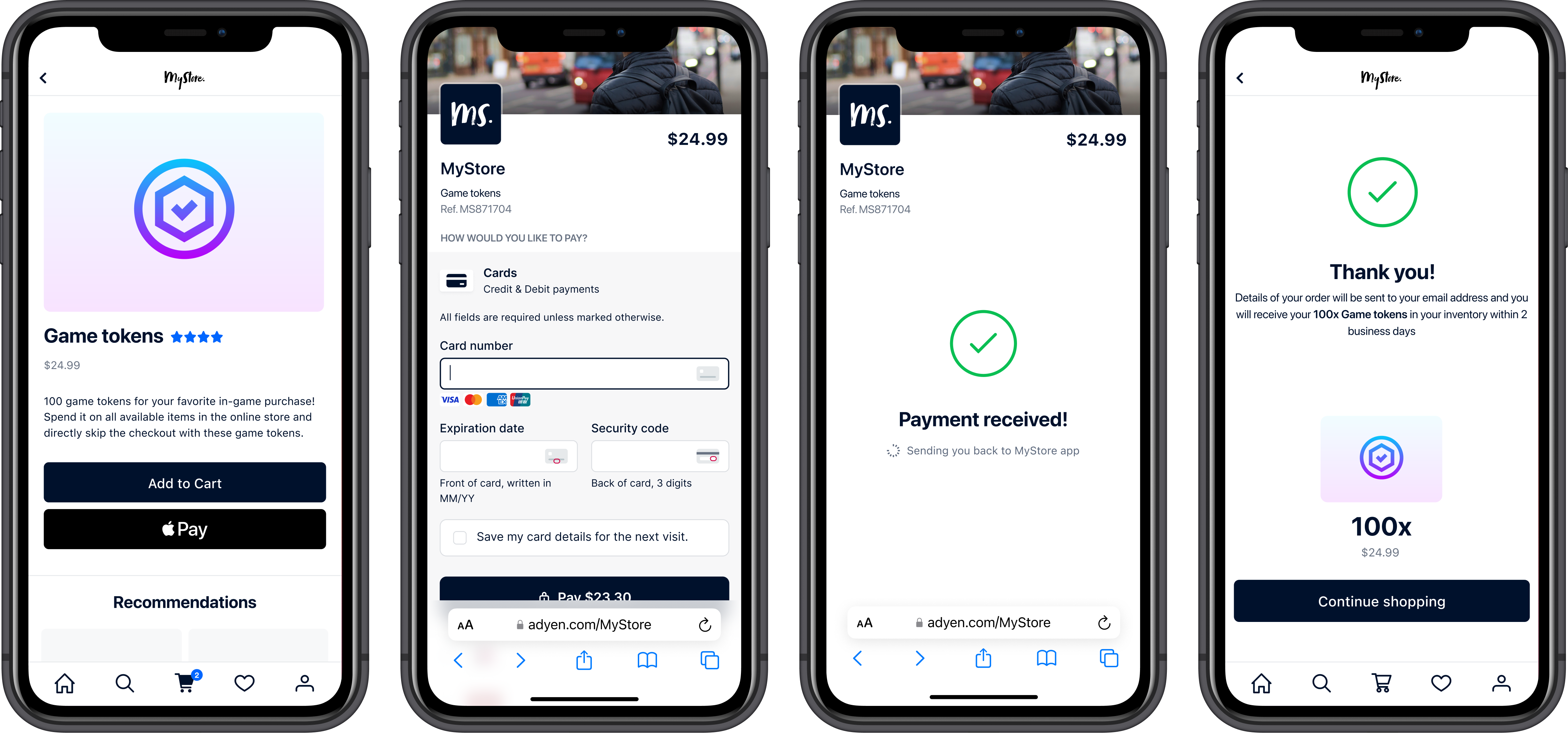
Redirect your shoppers for an out-of-app payment
We offer two solutions to redirect your shoppers to an external website in a mobile browser from your iOS app to complete their payment:
- Web Drop-in/Components: redirect your shoppers to your existing web checkout page in the mobile browser. This option requires you to build your own Web integration with Adyen, and implement your own logic to return the shopper back to your app.
- Hosted Checkout: redirect the shopper to an Adyen-hosted website where they make the payment. This option requires lower development effort, and the shopper is automatically redirected back to your app after they complete the payment.
Refer to our comparison of Hosted Checkout and Web integrations to learn more about the differences between the solutions.
Test and go live
Before going live with your integration, use our test card numbers to test that you make a successful out-of-app payment.