


As required by payment industry regulations, Adyen must verify the users of your platform before you can process payments, pay out their funds, and offer financial products to them.
To verify your users, you must create legal entities and associated resources. When you create these resources, you provide Adyen with the information we require to verify your users.
Resources
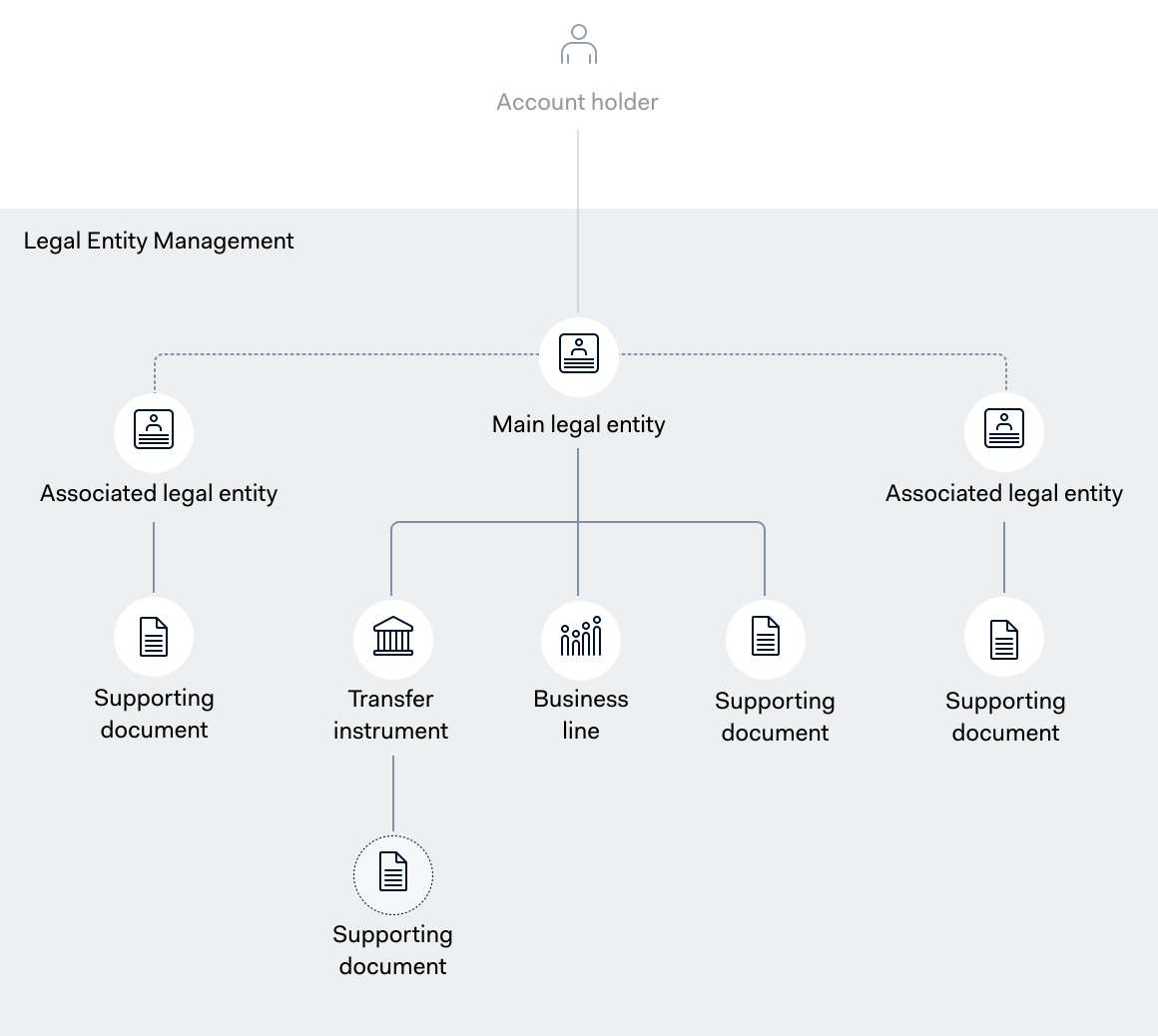
You must create the following resources for your users:
- Legal entity: contains information about your user, for example, the legal name, address, and tax information of the organization. Adyen uses this information to perform verification checks as required by payment industry regulations.
- Transfer instrument: your user's verified bank account where they can receive payouts.
- Supporting document: a document that allows us to verify the information provided about your user's legal entity or transfer instrument.
- Business line: contains information about your user's line of business, including their industry and source of funds.
You can use the Legal Entity Management API to manage these resources. The following diagram shows how the resources are connected.
Business lines and payment methods
Business lines are associated with your user's legal entity and contain information about their line of business. A business line can be associated with multiple stores, and a store can be associated with multiple business lines.
A business line that you associate with a store must be part of the same legal entity as the merchant account. For a platform setup, the business line must also have service set to paymentProcessing.
Adyen uses the business line's service, industryCode, and salesChannels to determine which payment methods are eligible for your user's store. To associate a business line with a store, see Manage stores. To request payment methods, see Manage payment methods with API.
When you update a business line, the payment methods that your user already has keep the settings that Adyen configured when you added them. Adyen applies the updated business line data only to the payment methods that you add after the update.
An update to a business line can affect the account holder's receivePayments capability. If the capability is no longer allowed, your user cannot accept payments with the payment methods in the associated stores.