


This page provides an overview of best practices for onboarding your users in France. Adyen tries to automatically verify the submitted information. If automatic verification fails, Adyen starts a manual review and can ask for a supporting document.
Fix verification errors
When a verification check fails, Adyen returns an error. For more information about how Adyen verifies your users, see verification process. The following steps are the general process to resolve an error for any verification type:
- Correct any typos or incorrectly filled information that does not match the validated data exactly, for example, the address on a document. Then submit the information again.
- If verification still fails, ask your user to provide a supporting document. The organization, individual, and bank account verification sections describe which document to provide.
- Wait for Adyen to complete the manual review. This usually takes 24–48 hours.
Organization verification
Adyen always verifies the name of the entity as registered with the Registre national des entreprises (RNE). Provide the registration number based on the entity type:
| Entity type | Registration number required |
|---|---|
| Organizations and sole proprietorships | SIRET number |
| Non-profits | RNA number |
To verify the VAT number, provide the Numéro d'identification à la taxe sur la valeur ajoutée or the Numéro de TVA intracommunautaire.
The following table shows the registered business structures accepted by Adyen:
| Category | Accepted forms |
|---|---|
| Organization | privateCompany (SARL, SAS, EURL, EIRL, SA, SASU, SICAF, SCOP), partnershipIncorporated (SCI), nonProfit, associationIncorporated, listedPublicCompany (SA), governmentalOrganization (SEM) |
| Sole proprietorship | soleProprietorship (EI) |
| Partnership | unincorporatedPartnership (SEP, SCS, SCA, SNC) |
Additional requirements that can apply:
- Ownership structure in cases where enhanced due diligence is required.
- Stock data for listed public companies.
- Authorized signatories (banking capabilities only).
- Legally registered city (banking capabilities only).
- Source of funds used to fund the account (Issuing or Business Accounts only).
Upload a document
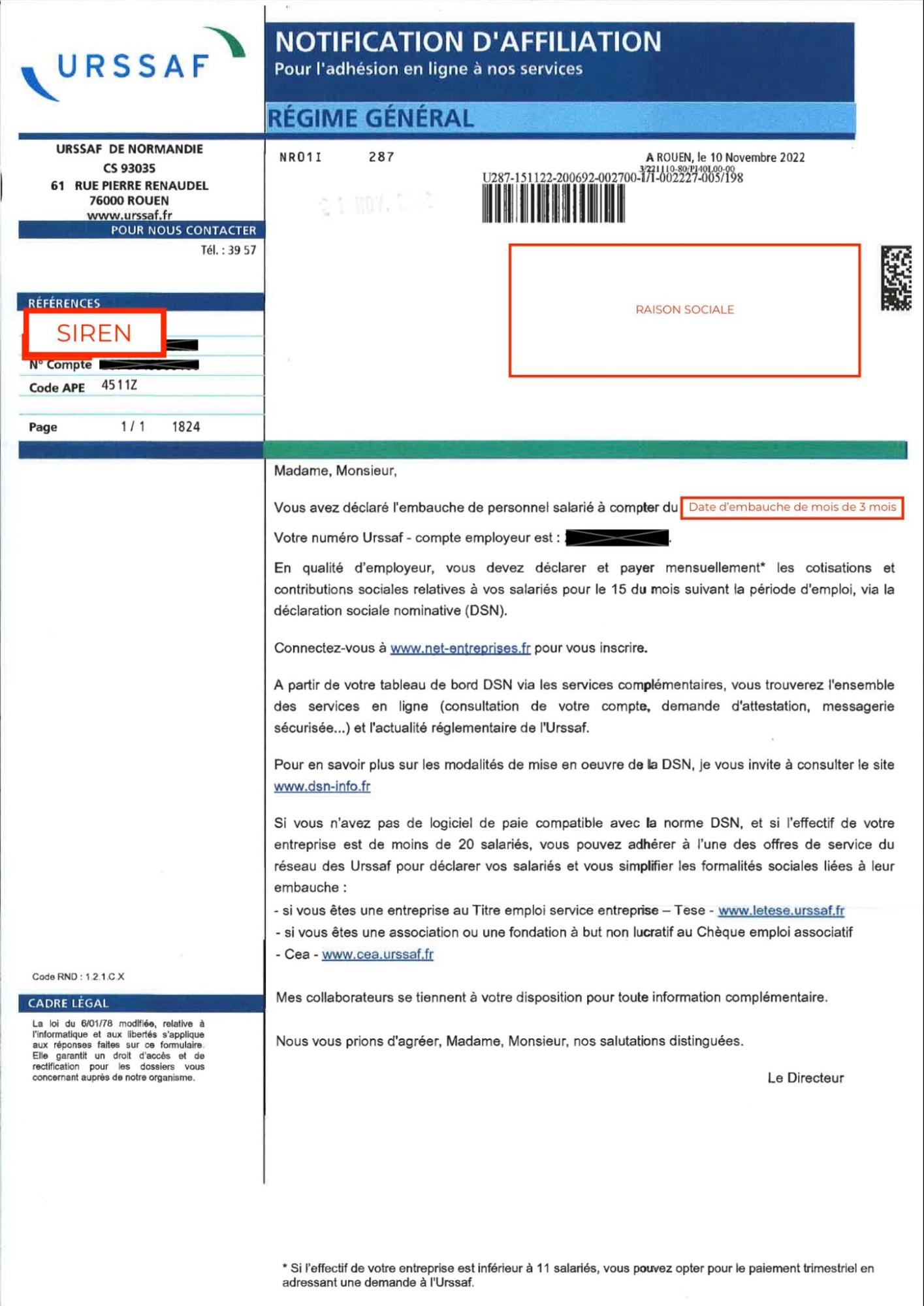
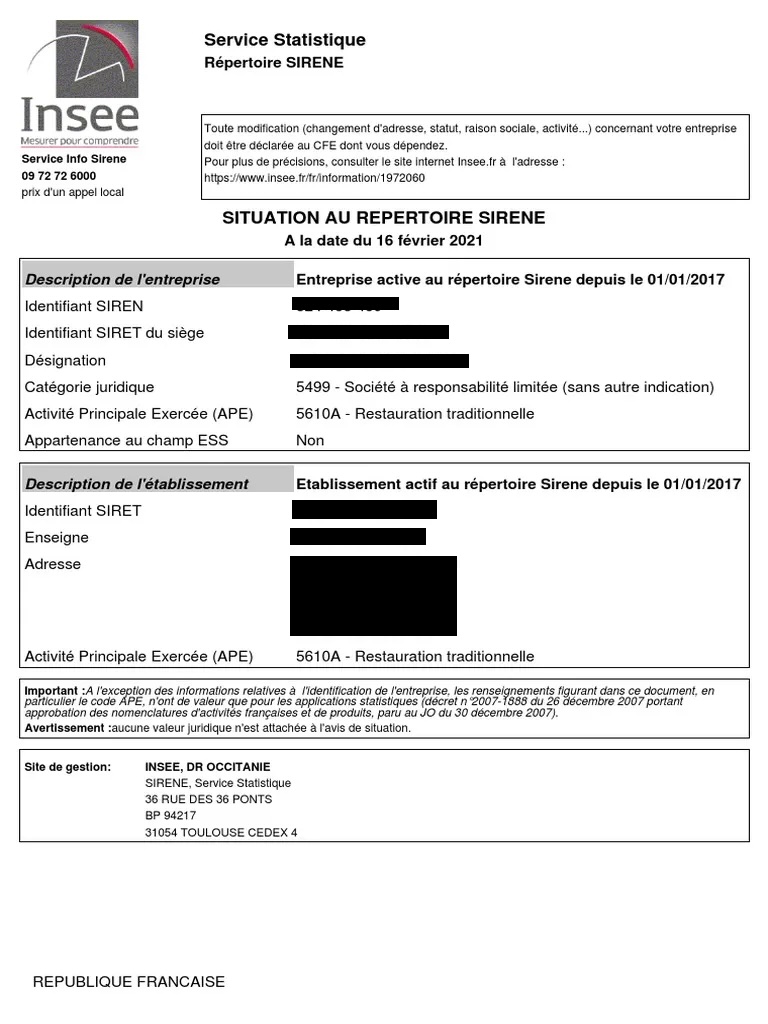
If automatic verification fails and the information entered is accurate, your user must provide a document from URSSAF or INSEE that contains the legal name and SIRET or SIREN number.
Troubleshooting common errors
| Error | Best practice |
|---|---|
The legal business name couldn't be verified, The legal name didn't match the one on the registry, or The registration number didn't match the one on the registry |
Always use the full, legally registered name of the entity as it appears on official documentation. Do not use an abbreviated or shortened name. Do not use the nom commercial or doing business as (DBA) name in this field. A separate field is provided for this. |
| Incorrectly chosen legal entity type | Adyen verifies the differentiated statuses of organizations, non-profits, partnerships, and other entity types. SELARL is a type of limited liability company with a single owner and must be onboarded as a private company. |
| Association without a registration number (SIRET) | Some associations do not have a registration number. In such cases, enter "000s" in the registration number field. To verify, submit articles of association or a constitutional document. The entity name on the document must match the submitted name. Articles of association and constitutional documents must be signed and stamped by the relevant individuals. |
Individual verification
Adyen verifies the identity of individual and sole proprietor account holders. If the account holder is an organization, Adyen verifies the identity of the following individuals: all the associated ultimate beneficial owners (UBOs) through control or ownership and at least one signatory.
The following information always requires verification:
- Legal name and date of birth: The individual's full legal name and date of birth.
- Country of residence: The individual's primary country of residence through their address details.
Verification options
Troubleshooting common errors
| Error | Best practice |
|---|---|
The ID document was of too low quality |
The uploaded document must be a high-quality original image or direct scan. Indirect copies, for example a photo pasted onto a PDF file, cannot be verified. Ask your user to provide a photo when possible. All details (name, photo, document information) must be fully visible and clear. |
The name didn't match the one on the ID document or The name and date of birth couldn't be verified or The name and residence country couldn't be verified |
Make sure that the full legal name in the correct order, date of birth, and country of residence are submitted exactly as they appear on the individual's government-issued identification. Do not submit nicknames, abbreviations, or titles, for example épouse. |
Bank account verification
Adyen verifies the bank account where your user receives their payouts.
Verification options
Troubleshooting common errors
| Error | Best practice |
|---|---|
Bank account holder does not match the document |
Use the full, legally registered name of the entity. Make sure it matches the bank documents exactly. |
The bank document wasn't a supported document type |
Use a bank statement or a voided check. These have the highest pass rates. Do not use photos of credit cards, emails, or direct deposit forms. Note that a RIB does not require an issuance date, but if a date is provided, it must be within the last 12 months. |
The bank document wasn't issued in the past 12 months |
Use a document issued or signed within the last 12 months. Make sure the date is clearly visible. Do not use edited or personalized documents. |