


The information in this page does not constitute legal advice. It only provides an overview of Adyen's compliance guidelines for financial products and Adyen for Platforms (referred to as the Compliance Guidelines). For additional, non-legal clarifications about this content, reach out to your Adyen contact.
To offer Capital as a financial product, you must comply with the general user interface requirements. In addition, you must comply with user interface requirements specific for Capital, as described in this page.
Presenting financing offers
When presenting a financing offer to your users, include the following information:
- Contract type: Clearly show the type of financing offer, such as business loan, to eligible users.
- Financing offer: Clearly show a financing offer, including all the fields that Adyen provides for dynamic and static offers through the Capital API.
- Repayment term: Specify that for a business loan, the repayment term has a maximum period. This means that the repayment term is fixed and the business loan must be completely repaid before it ends.
- How to request a financing offer: Enable users to request Capital on your interface. Clearly show that they must request the product before receiving any financing offer.
The following image shows an example of how to present your financing offers to your users.
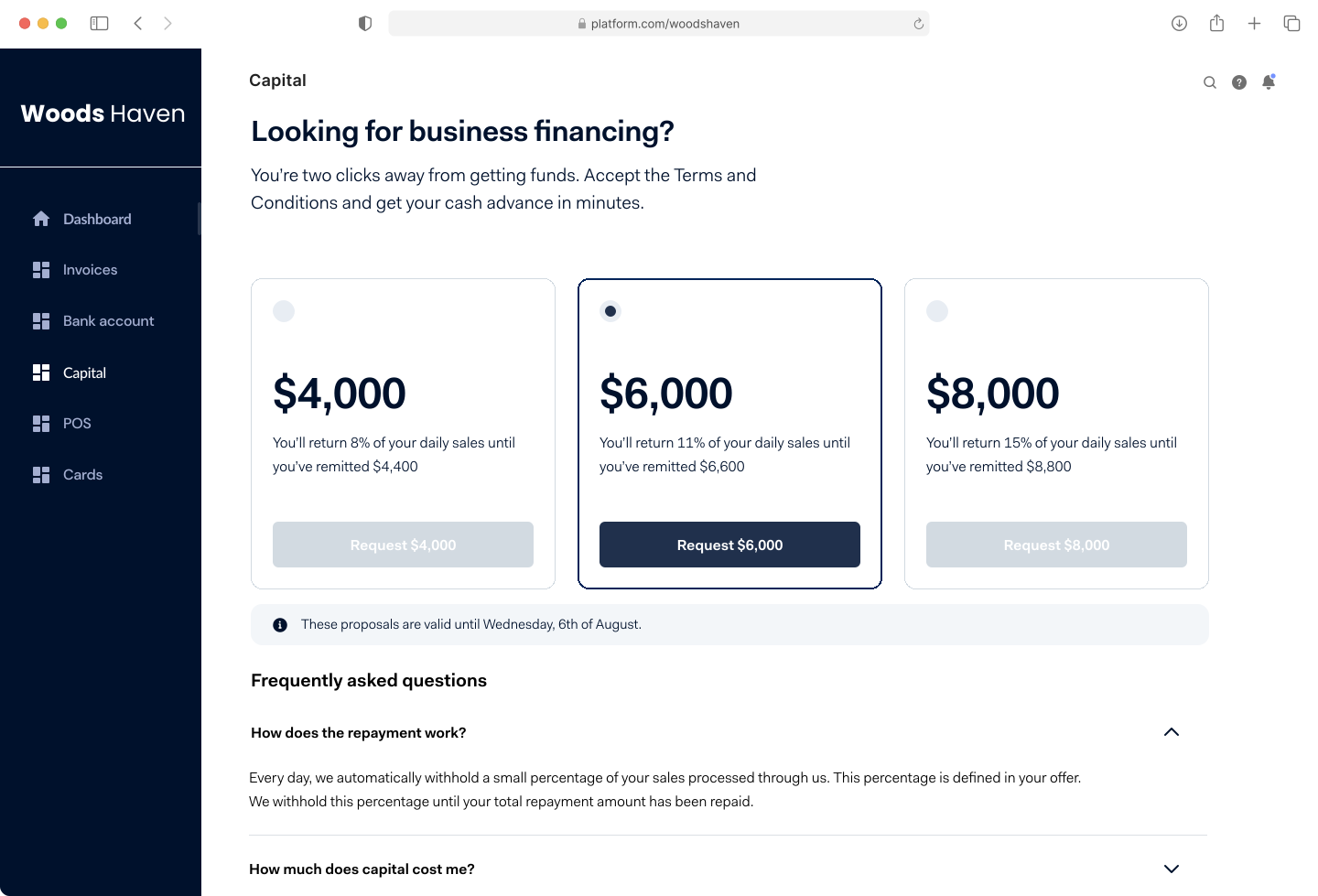
In this example, the interface:
- Explicitly shows whether the user is viewing an offer for a business loan or cash advance.
- Shows all the financing offers available to your user.
- Uses a Request button to indicate the user how to request a financing offer.
- Specifies the validity period of the offers.
Presenting KYC interface and Terms of Service
To comply with KYC requirements and user agreements, include the following information in your interface:
- KYC collection fields: Enable your users to submit KYC information for review by Adyen.
- Relevant terms: When showing your user the details of their financing offer, you must include all the terms that are relevant for this offer. For example, you should include:
- The financing amount.
- The total repayment amount.
- The repayment percentage.
- The fee for using the product. In Canada, you must show this fee as an annual interest rate.
- Adyen's alternative ways for repaying the financing, if applicable.
- Capital user terms: Ensure that the user terms for Capital are available for and accepted by your users. Users must only accept the terms one time. In case of updates to the user terms, your marketplace must communicate these updates to your users.
- Acceptance of Terms of Service: Enable your users to view and accept the Terms of Service and conditions related to the Capital product. If you are not able to generate the required Terms of Service for your user, reach out to your Adyen contact. You must capture all acceptance information from the user.
The following image shows an example of how to present terms and conditions to your users.
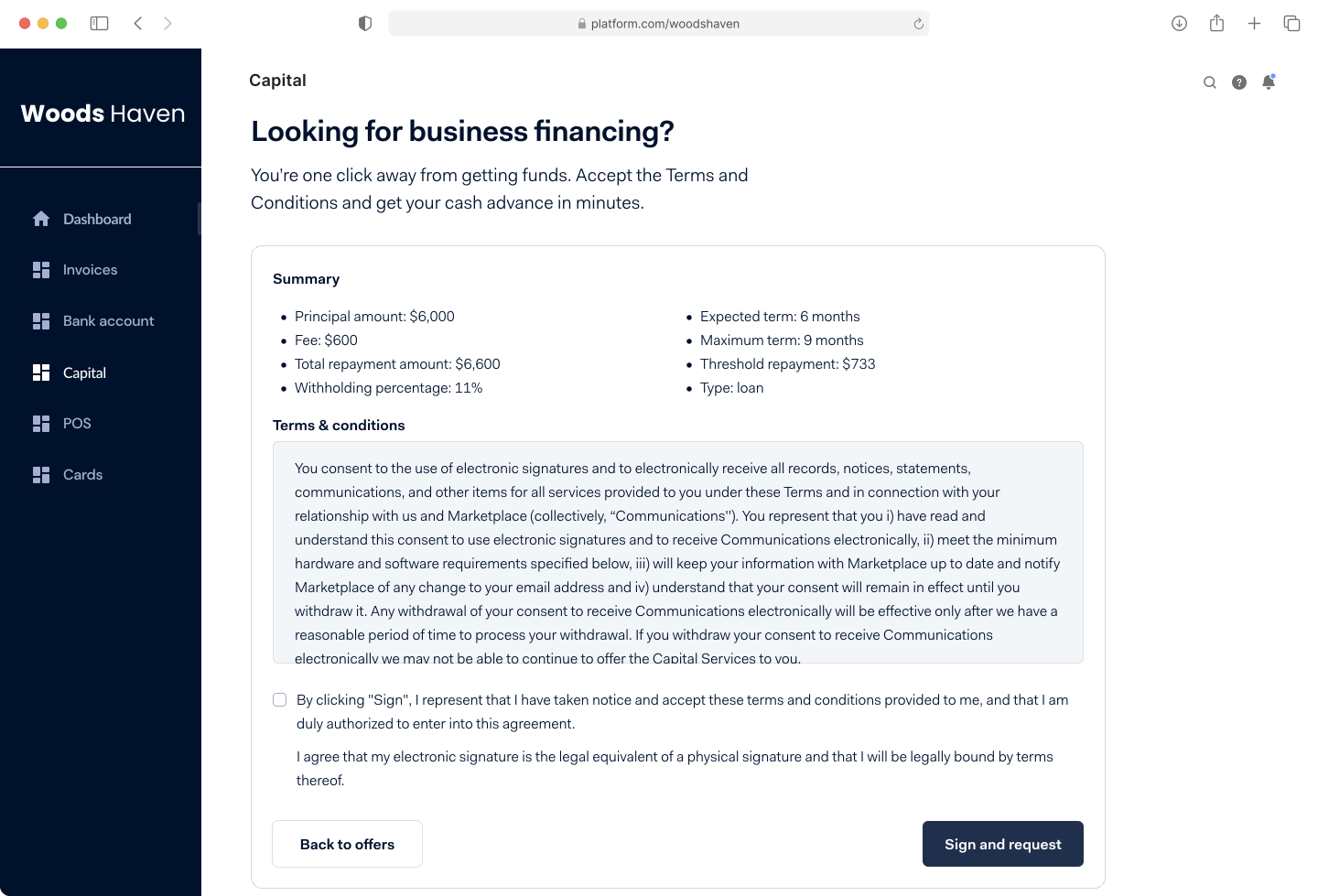
In this example, the interface:
- Shows a Summary section that includes relevant terms, such as:
- The financing amount
- The fees
- The terms of the repayment period
- The type of financing
- Shows the Terms and conditions for using the Capital product.
- Enables the user to accept the terms and conditions.
- Specifies that accepting the terms and conditions in your interface is equivalent to signing a contract.
Presenting insights into Capital funds
Your interface must provide access to the following information:
- Capital disbursement: Inform your users in real time about the Capital funds that have been paid out to them, and about repayments of the Capital funds.
- User insights: Enable your users to view, track, and monitor their Capital funds. This includes:
- Capital balance
- Repayment requirements
- Repaid funds
- Capital term
The following image shows an example of how to present Capital insights to your users.
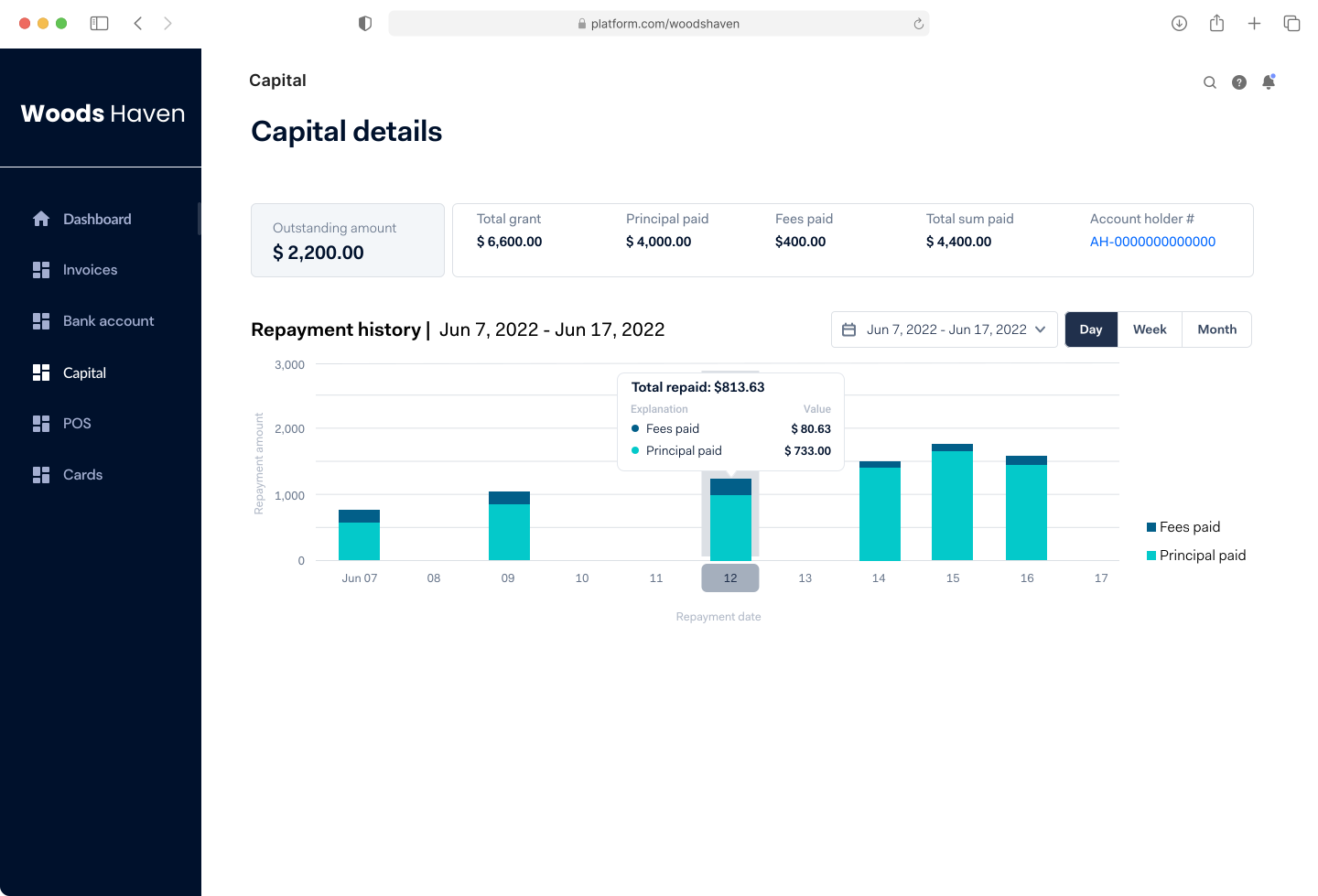
The example shows a page that enables users to monitor their Capital funds and repayments. You can get your user's grant details through the Capital API by:
- Making a GET /grants/{grantId} request with grantId as the path parameter.
- Subscribing to the Capital webhooks and Transfer webhooks.
Protecting your Capital information
Your Capital user interface must be protected against unauthorized access and security breaches. You must implement reasonable security measures according to industry practices. For example, your application must:
- Use unique and personal security credentials for login.
- Safely transmit personal security credentials.
- Validate the users' credentials when they request access.
Specific requirements for Ireland
The following statements must be displayed to the user in the user interface before the user becomes bound by the Capital contract:
-
“As a borrower in a credit agreement, you may have rights and duties under the Credit Reporting Act 2013 (available here: https://www.irishstatutebook.ie/eli/2013/act/45/enacted/en/html)."
-
NOTICE: Under the Credit Reporting Act 2013 lenders are required to provide personal and credit information for credit applications and credit agreements of €500 and above to the Central Credit Register. This information will be held on the Central Credit Register and may be used by other lenders when making decisions on your credit applications and credit agreements." This notice must be displayed in bold, in a text box and in font size at least equal to that used for other information.
The following information must be displayed to the user in the Capital interface before the user becomes bound by the Capital contract:
- Capital Balance (the total amount lent)
- The length of time for which the loan offer is valid.
Before the user is bound by the Capital contract, the Capital interface must prompt the user to provide their consent with a tick box to the following statement: "I understand the features of Capital and I wish to proceed."